Bookmarker
All of my bookmarking tools eventually die. So I made one myself.
Remember Delicious? Pinboard? Instapaper? Pocket? If you don’t, these are (or were) bookmarking apps that allowed you to save and sync bookmarks across devices and discover other people’s bookmarks.
What I liked about them was not the social features; rather, their layout, search and filtering capabilities were preferable to the built-in browser bookmark experience (i.e. buried in nested drop-downs or folders). Don’t get me wrong, I still have a whole bunch of bookmarks in Firefox that I access regularly (though I do often struggle to find what I’m looking for).
For one reason or another, these apps eventually fall by the wayside for me. Delicious: Sold for parts and eventually shuttered. Pinboard: Still going, but its Craigslist-ian UI leaves me wanting. Instapaper: I don’t even remember why I stopped using it. Pocket: Dead.
In some ways I get it. I imagine building a business around this narrow use case is challenging. I don’t want to pay to save URLs but I do want it to work the way I want.
Development
After my experience building the Chore Tracker app, I thought this might be another candidate for some good ol’ mouth coding. I described in as much detail as I could, what I wanted this to be (essentially a pretty loose PRD). I went back and forth with Claude to clarify the requirements but unlike with the Chore Tracker app, I did jump into Figma to do some exploratory UI mock-ups. The site itself is straightforward: a reverse-chronological feed of each URL I save with the date, URL, title, description and image (if available) rendered as a card with any tags or notes I include.
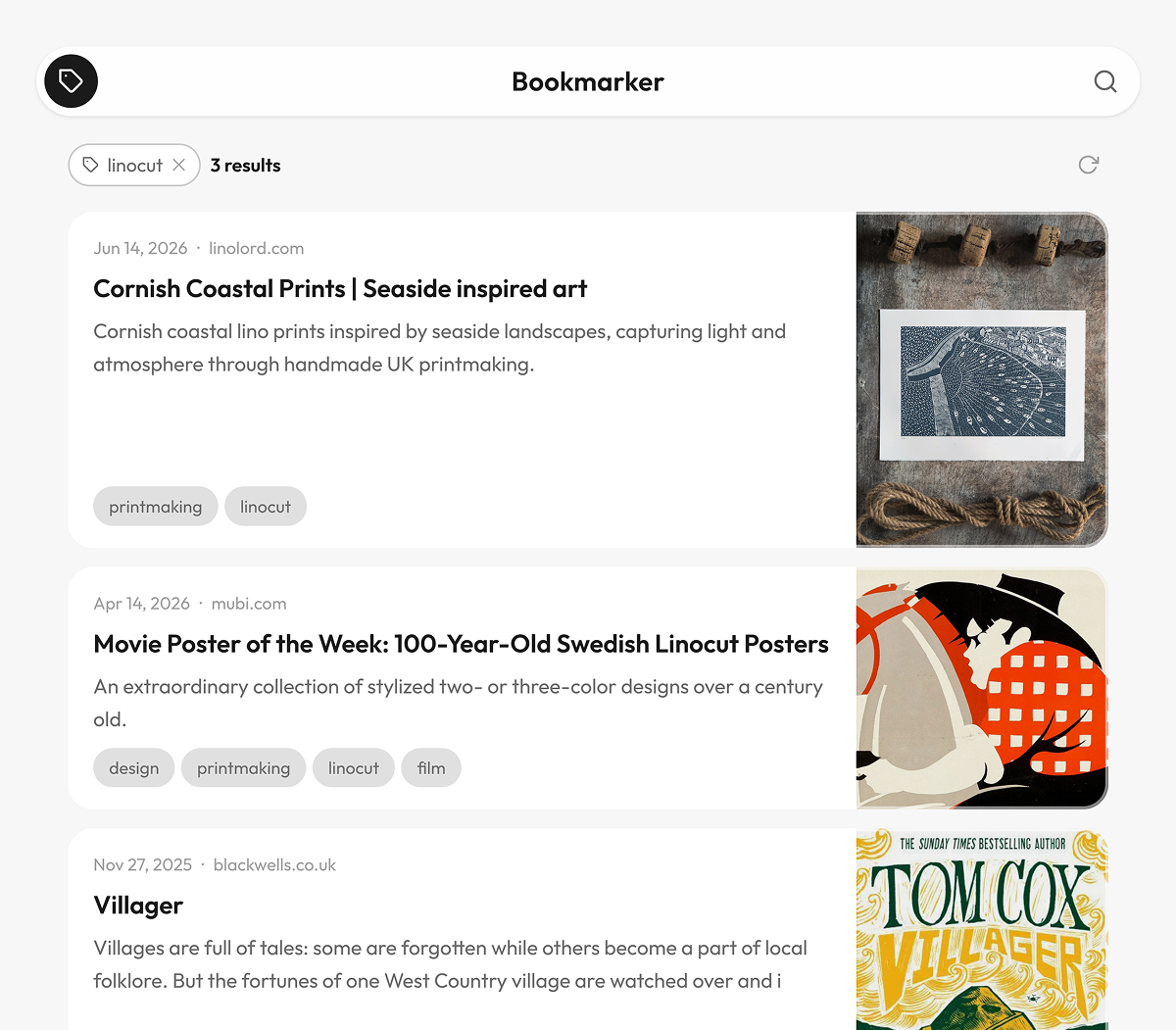
I deferred to Claude for the architecture and let it implement the suggested approach. It’s a dependency-free Python toolchain that has a capture, enrich and build stage. Each bookmark is stored as its own individual JSON file in the repo and a Github action builds and deploys the static site to Github Pages.
Tag filtering and search is handled with vanilla JavaScript: a single delegated click listener drives the filtering logic, and URLSearchParams with history.replaceState() keeps the filter state in the URL so it survives back and forward navigation.
Workflow
How to capture these bookmarks? I first considered a browser bookmarklet but I don’t think those work reliably on mobile browsers (maybe I’m wrong?). Since I am firmly entrenched in the Apple ecosystem, I thought a custom Apple Shortcut would work well and allow me to save bookmarks from all of my devices via the share sheet. It does work (with the odd bug here and there that has so far been simple to fix), but creating it was the most frustrating aspect of the project. Shortcuts are incredibly powerful ways to automate workflows but I have found the creation process to be confusing and brittle.
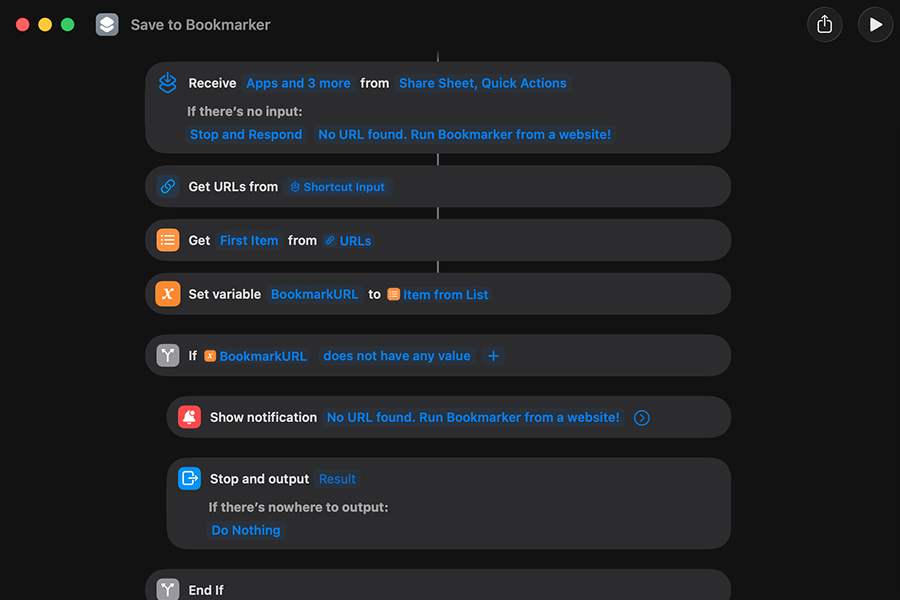
The shortcut authoring experience is different on iOS compared to MacOS and I inadvertently clicked or tapped on something and broke the shortcut on multiple occasions. I would not be surprised if the number of steps could be reduced by half.
A separate build shortcut was also created. The build action runs automatically on a weekly cadence to enrich any URLs I save and populate the site, but I can manually trigger the action with a shortcut to see a new bookmark immediately. After using this for a while now, I always run the build shortcut after I capture a new URL. Maybe it’s the novelty or maybe I’m still not convinced it will work. I am considering updating the capture shortcut to include the build step too, but for now, this is working for me.
One interesting note: I wanted a way to fold together bookmarks from the same URL. In the (very likely) event that I save the same bookmark more than once, I didn’t want to clog up the UI with duplicate cards. Each bookmark is still captured as a unique JSON file (with distinct date/time details) but a single card displays the date of each capture to indicate it’s been saved before. Any additional tags or notes get appended to the card. Neat and tidy!
You can have a look at the result (and my bookmarks) at bookmarks.aaronawad.com.
